✦ Ad Nuggets ← Back to Help Center

Radar Pro

Account Radar — instant company dossier. Search any brand, agency, or AdTech vendor and get everything Ad Nuggets knows about them in one place.

Searching Reading a result What you can do Tracked accounts Tech Signal Scanner

Type any brand, advertiser, agency, or AdTech vendor name — or skip typing entirely and paste a meeting invite, a LinkedIn company URL, or a website into the second field and click "Auto-fill & search"; Radar extracts the company name for you.

Live capture: searching "Nike", then tracking the account and opening My Tracked Accounts. (If your browser doesn't play inline video, download the clip.)

Reading a result

Radar matches against three different data types at once, and the stat tiles up top adapt to what it finds. Here's a brand match (Nike):
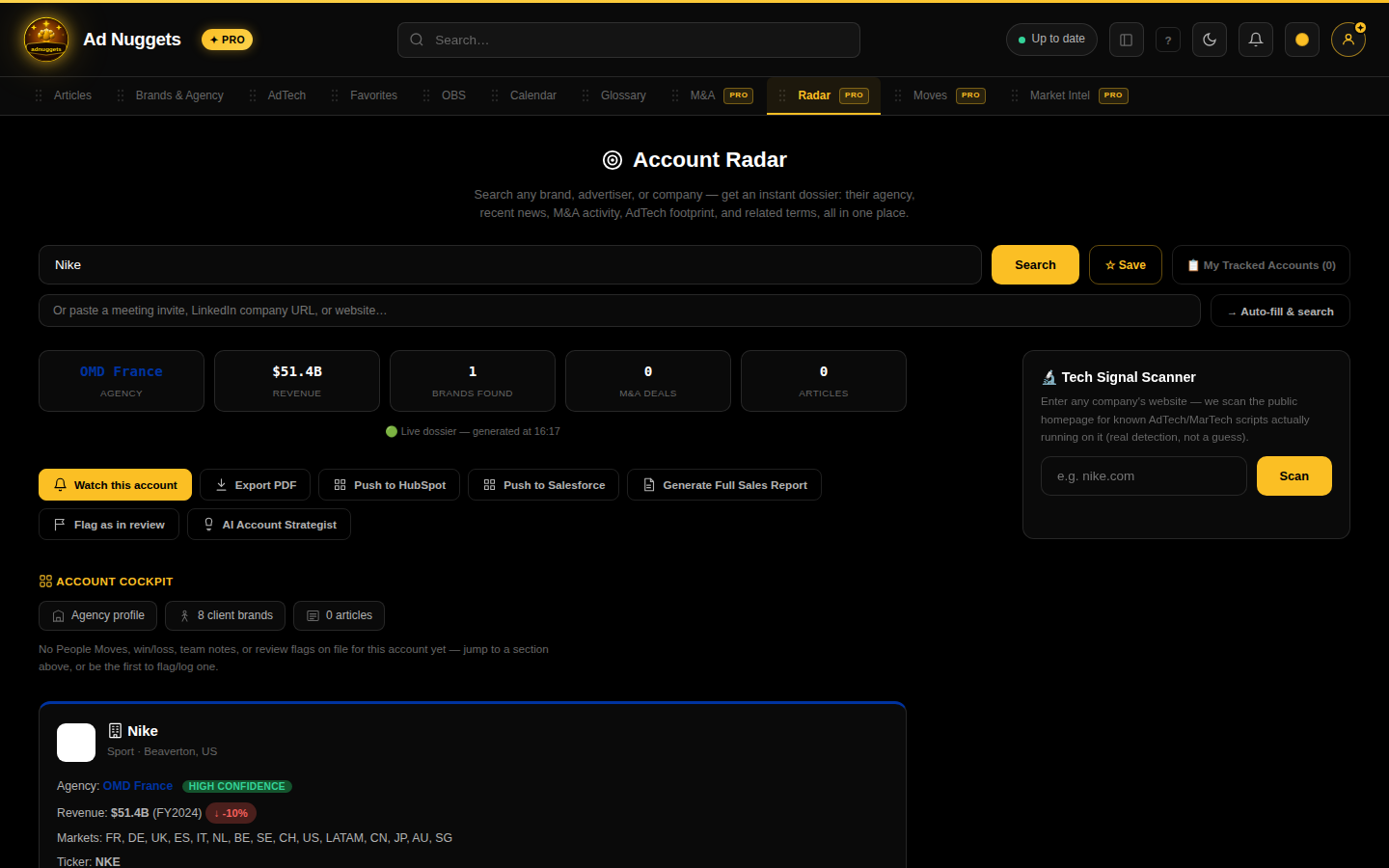
Radar result for Nike

Here's an AdTech vendor match (The Trade Desk) — notice the stat tiles are different (revenue instead of an agency), and the card itself surfaces vendor-specific fields (formats, buying models, identity tech):
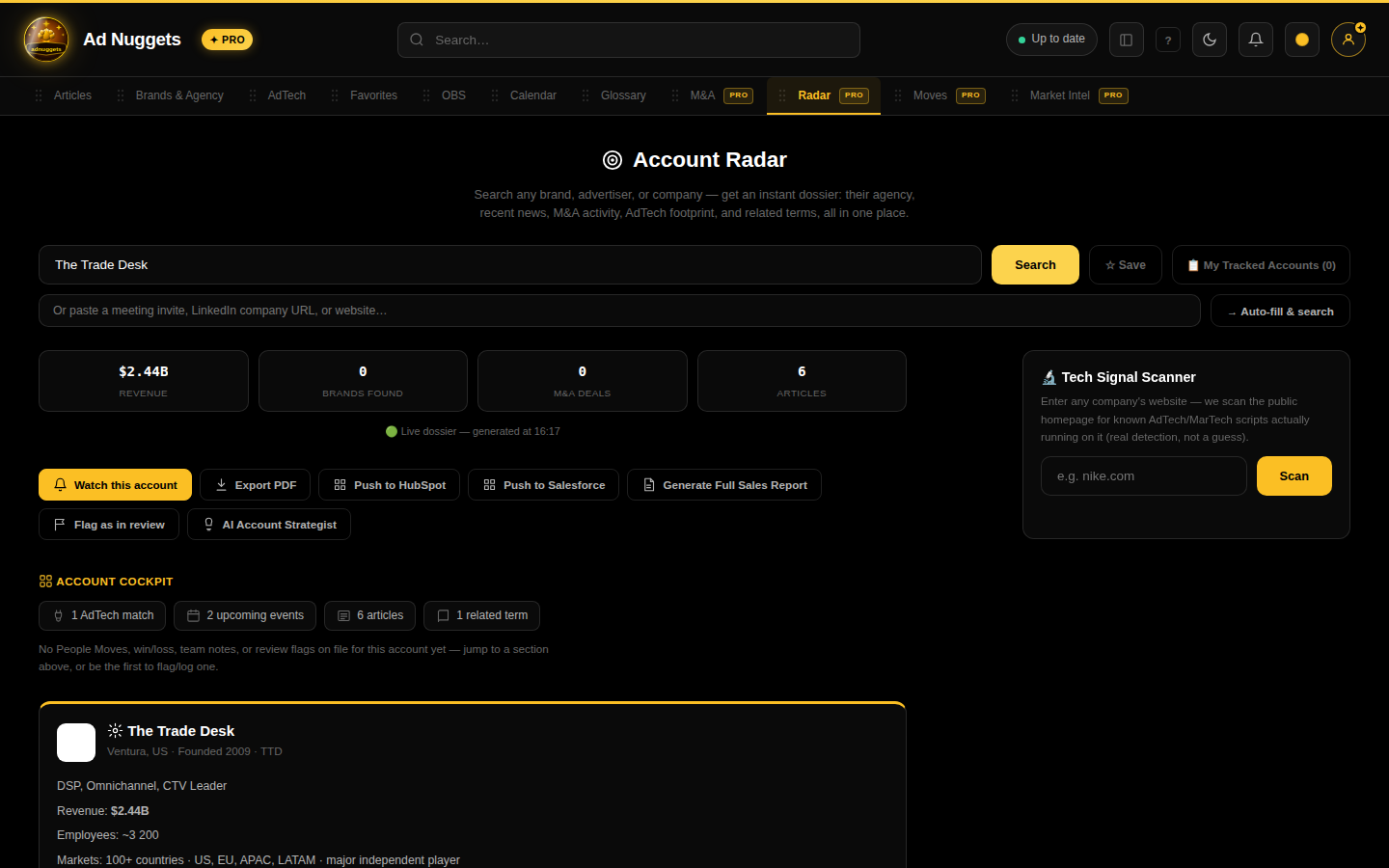
Radar result for The Trade Desk

A green "Live dossier — generated at HH:MM" line confirms the data was pulled fresh, not cached.

What you can do with a result

Watch this accountAdds it to My Tracked Accounts (and your team's shared list, if you're on Pro Business) — triggers real-time alerts on new coverage.
Export PDFA shareable, printable version of the dossier — useful to attach to a CRM opportunity or send internally.
🧡 Push to HubSpotLogs the dossier as a note against the matching HubSpot company record (requires HubSpot connected — see the Connections guide).
☁️ Push to SalesforceSame idea, logged as a Salesforce task (requires Salesforce connected).
Generate Full Sales Report →Jumps straight into OBS's Prospect Intelligence Report with this company pre-filled — see the OBS deep-dive.
Flag as in reviewA crowdsourced signal that this account might currently be reviewing agencies/vendors — visible to other users tracking the same account.
AI Account StrategistA Claude-generated next-step recommendation synthesized over everything Radar found — deals, coverage, AdTech footprint, agency history.

Tracked accounts

Click "My Tracked Accounts (N)" next to the search bar to see everything you've watched. On a Pro Business team, this becomes a shared list — teammates see the same accounts, with a conflict warning if two reps are both active on the same one recently (see the Team section).

Tech Signal Scanner

A separate tool below the main search: enter any company's website and Radar headlessly renders the page (not just a static HTML fetch) to catch AdTech/MarTech scripts that only load via tag managers — the same detection method a real tech audit would use, not a guess from the domain name.

Real network detection means results depend on the target site actually being reachable from Ad Nuggets' servers at scan time — an unreachable or blocking domain returns "Could not scan this domain" rather than a false positive.
Want the API version of this data instead of the UI? See the API docs/api/v1/account-intent exposes anonymized cross-user tracking signal.

← Back to Help Center